Rhythm Assignment:
In this assignment, you will be choosing the correct written notation for the rhythm pattern you hear.
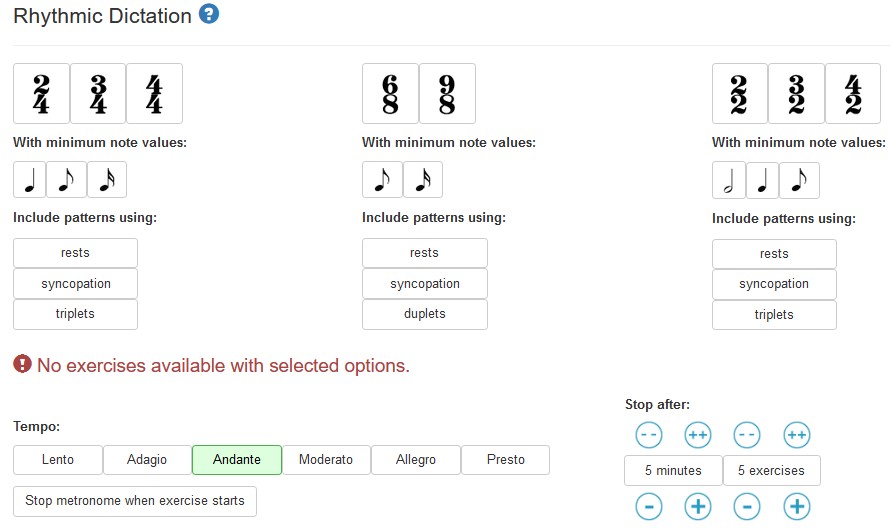
When you click on https://www.teoria.com/en/exercises/rd4.php, you should see this:
BEFORE YOU START, you need to need to make the screen look like this (click on the 3/4 and 4/4 time signatures and on the quarter note buttons. Also choose to stop after 10 exercises)
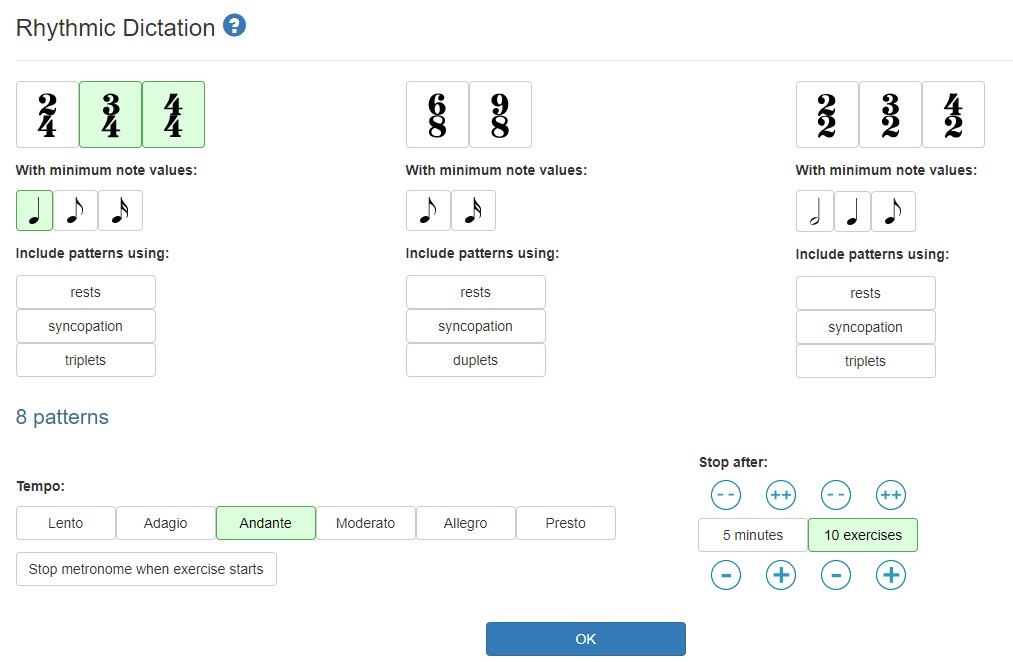
Click on the OK button to start the game (You do NOT need to sign in) and listen to the rhythm patterns .
Choose the notes that represent that rhythm pattern and then click on the 'check answer' bar to see if you got it right.
(The only notes you should have to choose from are the whole, half, dotted half and quarter notes)

After you figure out how it works, click on the RESET button to start again.
After you have identified 10 patterns (if you are happy with your grade), click on the  button.
(If you are not happy with your score, then reset and try again!)
You do NOT need to identify more than 10 patterns!
You should get a score that looks something like this:
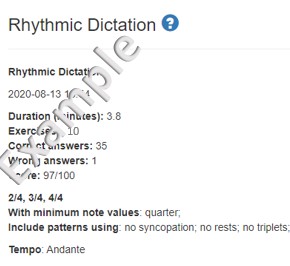
Take a screen shot of this screen (be sure to include the date and the rest of the information shown on this example)
*To make a screen shot:
On a Mac -
Press the Apple, Shift and 3 keys at the same time
this should create a .png file on your desktop
Upload this file
On a PC -
Press the 'print screen' key
Open a new MS Word or Paint document
Click on Edit, then Paste
Save the file
Xtra Credit
IF you want extra credit on this assignment:
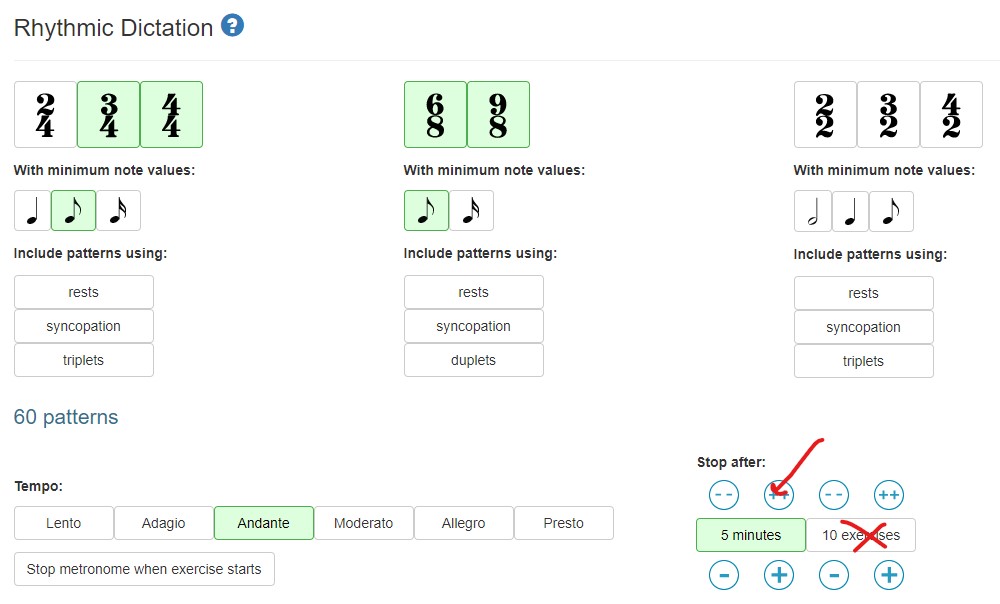 |
Click so the items listed here are green: Then click the OK button at the bottom of the screen. Play the game for at least 5 minutes At the end of 5 minutes, if you have a score of 70% or better, take a screen shot of your screen.* Save the file. When you are ready to upload the screen shot for Xtra Credit (after you have uploaded the rhythm assignment screenshot), click on the 'add another file' button and then upload this screenshot for an extra 2 points. |